 Spek
Spek

Which method should you try?
Start with Camera or Photos. On a supported iPhone, Apple’s Live Text can translate text on a menu without installing another app. Apple Translate and Google Translate offer camera-based alternatives; Spek offers a photo-and-result workflow.
- Menu in front of you: try Camera’s Live Text.
- Photo or screenshot already saved: use Photos.
- Want translations over the camera view: try Apple Translate or Google Translate.
- Want to read a translation alongside your chosen image in Spek: use Spek’s Image tab.
Check that your menu’s language and the language you want to read are supported by the method you choose. Reading a few dish names does not require the same workflow as translating a whole page.
Use Apple’s built-in tools
1. Translate the menu in Camera
Use this when you want to understand a word or a short section without taking a photo.
- Open Camera and point it at the menu.
- Wait for the text-detection frame, then tap the Detect Text / Live Text button.
- Select the words you want to understand and choose Translate.
For the current controls, see Apple’s Camera instructions. Availability varies by language and region.
2. Translate a saved menu in Photos
Use this for a menu photo you took earlier or a screenshot someone sent you.
- Open the image in Photos.
- Tap Live Text to detect its text.
- Tap Translate. Follow any prompt to continue or change the translation language.
You can also select specific words when you only need one dish explained. Apple lists an iPhone XS, iPhone XR, or later with iOS 15 or later for Live Text. Its Photos guide includes the requirements and steps.
3. Use the camera in Apple Translate
If you prefer translations displayed over the menu image, try Apple’s Translate app.
- Open Translate, then choose Camera.
- Point it at the menu and check the language choices.
- Freeze the view with the shutter button, then zoom in to inspect the translated text.
You can also select a saved photo from the camera view. This works for supported languages; Apple’s Translate guide explains the available controls. If a built-in method meets your needs, you can stop here.
Try Google Translate
Google Translate is another option if you already use it or want to check a different app’s language support.
- Open Google Translate on your iPhone.
- Choose the menu’s language, or Detect language, and your target language.
- Tap Camera and point it at the menu. Tap the shutter to pause, or use Gallery for a saved image.
Google also documents offline camera translation: download both languages through the camera’s language picker before you need them. Check that downloads are available for your language pair and try the workflow before leaving Wi-Fi. See Google’s iPhone instructions.
Translate a menu photo in Spek
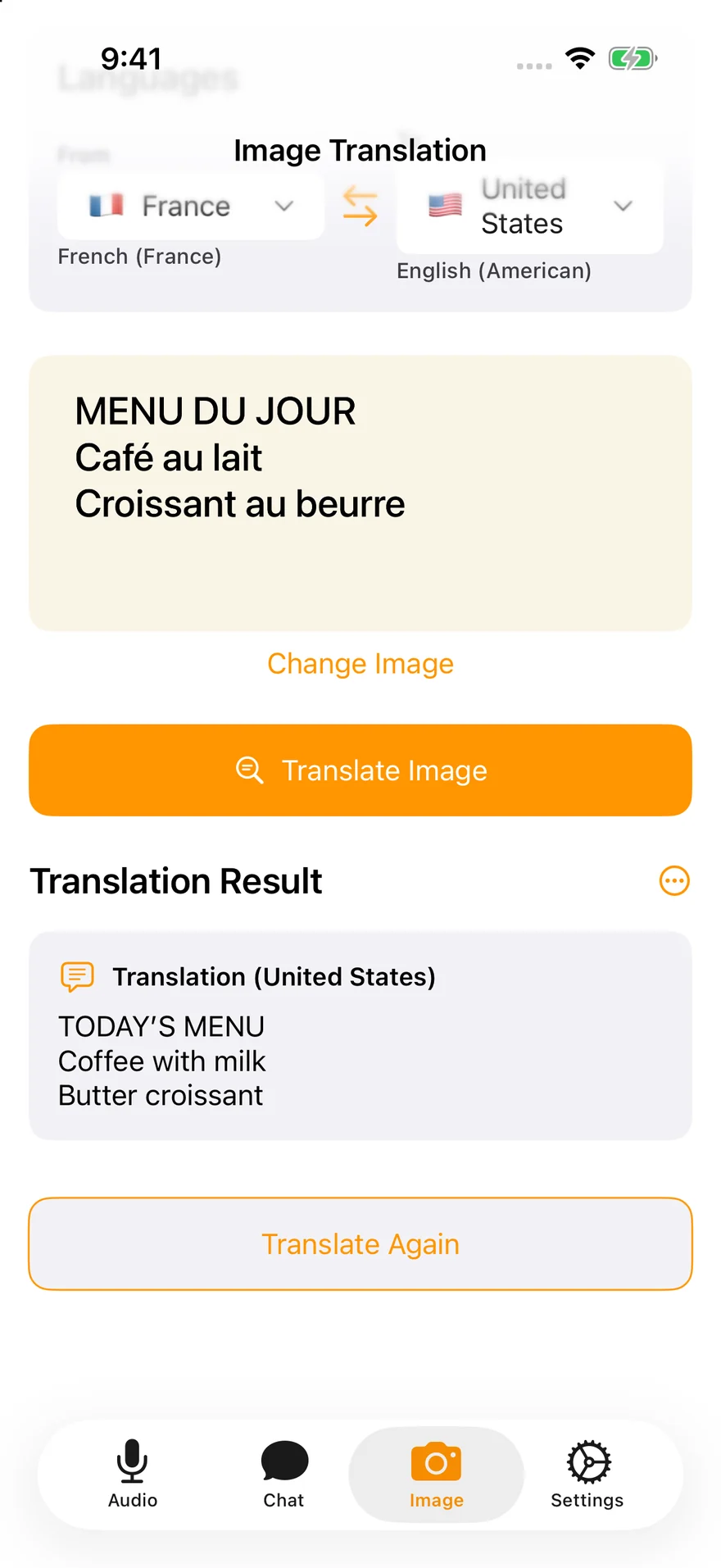
Spek is our app. If you prefer to choose a photo and read the translated text alongside the original, here is its photo translation workflow:
- Open Image in Spek. Choose Camera or Photo Library and select a clear menu image.
- Set From to the menu’s language and To to your reading language. Choose different languages.
- Tap Translate Image, then review the result with the original. Use Change Image to translate another section.
Spek requires an internet connection, and some features require an in-app purchase. Check its language and dialect choices for your needs. You can find Spek on the App Store if this workflow suits you.
When the result isn’t useful
Live Text or Translate is missing
Check Settings → General → Language & Region → Live Text. Confirm that your device and language are supported. If text selection does not show Translate, look in the selection menu’s additional options. Apple describes those options in its text translation guide.
If the text is hard to read
- Keep the menu flat and avoid reflections, glare, or deep shadows.
- Photograph one section at a time so small text stays legible.
- Retake a blurry image and check the source and target languages.
- If a dish name still makes little sense, ask the restaurant what it contains.
A QR code opens a digital menu
If it opens a webpage in Safari, look in the Page Menu for Translate to [language] when available. For an image or screenshot, try the Photos method instead. Apple’s Safari guide covers webpage translation; it is not available for every language or region.
You won’t have mobile data
Prepare and test an offline option before your trip. Google documents downloadable languages for camera translation, as described above. Spek needs an internet connection, so it is not an offline option for this task.
Use translated menus to help you choose, but confirm ingredients and preparation with restaurant staff if you have an allergy or another dietary requirement. A translated dish name alone cannot establish what is in the meal.